Discussions about when iOS 26 would be released have been going on for the past six months. Many even installed beta versions to quickly check how the “glass” interface works. Apple announced September 15 as the release date for iOS 26, and now iPhone owners are exploring the new features of the operating system.
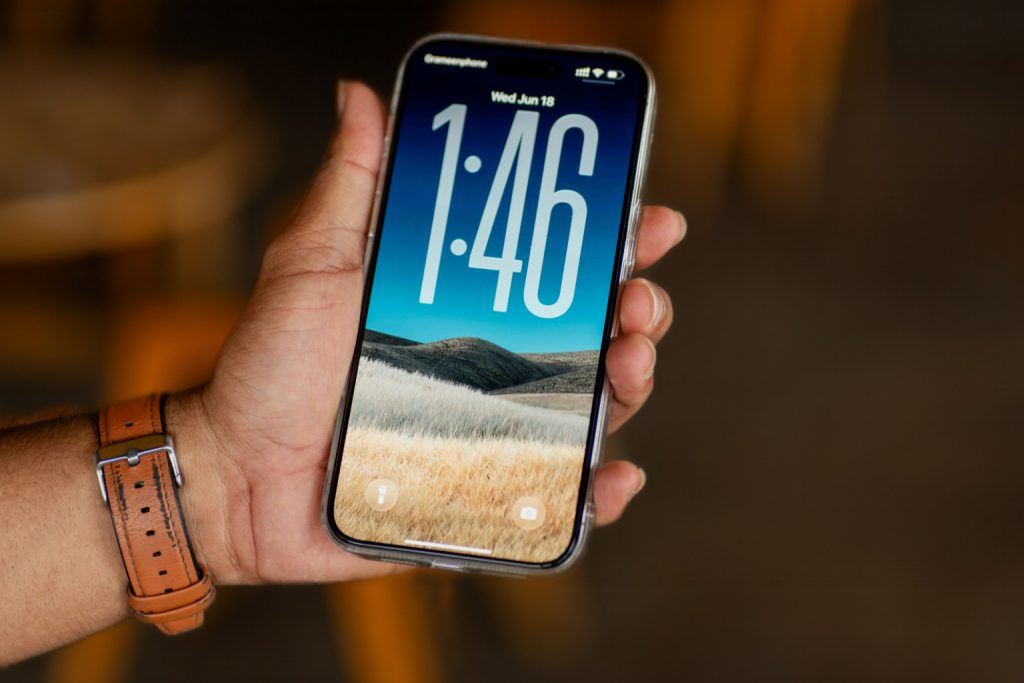
New Visual Features
The most noticeable and perhaps most talked-about change in the operating system is the Liquid Glass effect. Light refracts and reflects off interface elements in real time, highlighting the most important information.
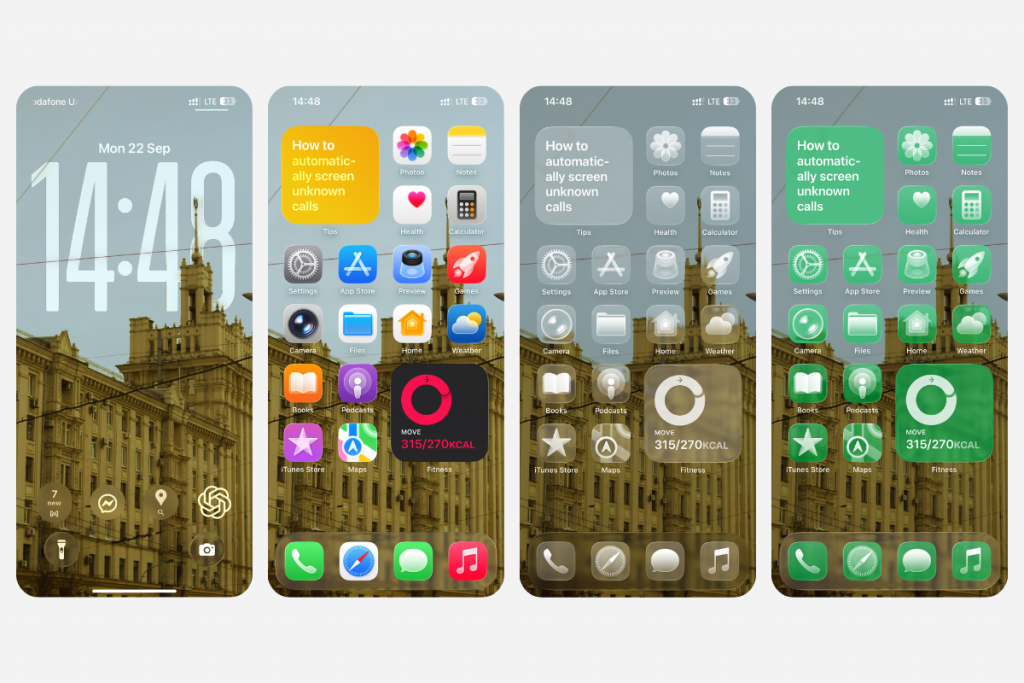
Other visual changes:
- the clock on the lock screen adapts to the wallpaper and notifications;
- 3D photo wallpapers create a spatial scene from any image;
- music album covers are animated, and some artists add full-screen animations themselves.
All icons have also become “glass.” You can customize their shades or set a transparent background.
Updated Camera
The camera app design has changed — now you only see two shooting modes on the screen: photo and video. The rest of the settings are hidden behind them — just swipe left or right. By the way, the iOS 26 update will indirectly improve the quality of photos. On iPhone 15 and newer models, if the lens is dirty, the system will remind you when to wipe the sensor.
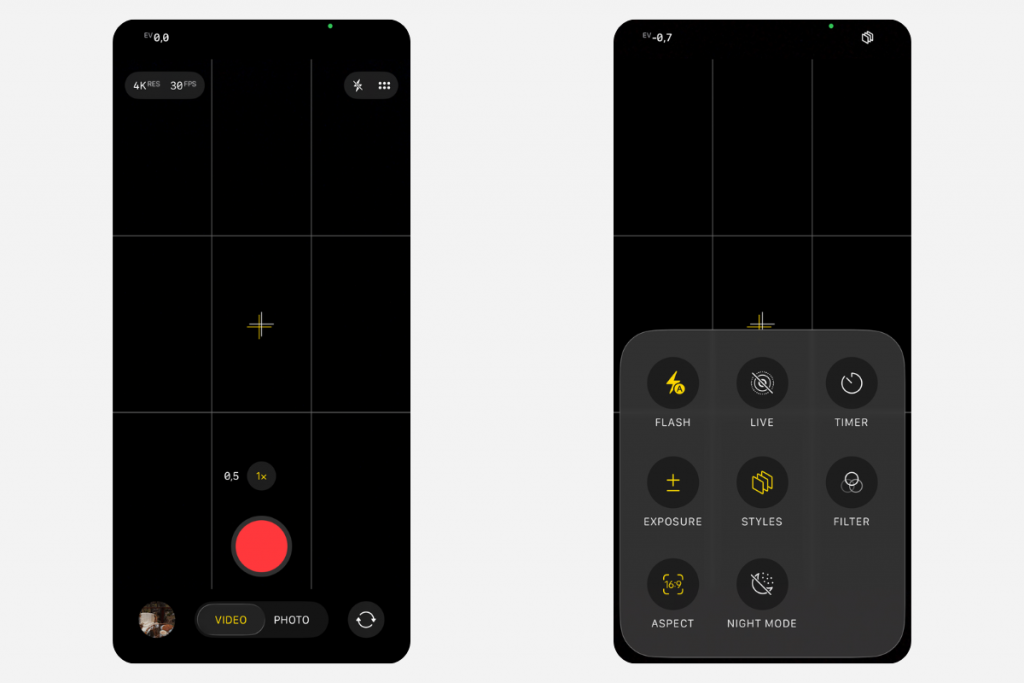
Previously, you could control the camera with an Apple smartwatch, but now AirPods 4, AirPods Pro 2, and newer versions have been added to the list. They support a new gesture: press the stem to start recording a video or take a photo.
There have also been changes to the gallery. The library and collections are now on different tabs, making it easier to search for images in the archive. Collections can be rearranged and hidden, and their design can be changed.
Parental Control
Another reason to download iOS 26 now is the expanded parental control options. Children will be able to send requests to their parents if they want to contact a new or unknown number. The phone will recognize explicit content in messages and FaceTime calls and block it.
And to ensure that apps and services offer age-appropriate content, parents can allow their children to share information about their approximate age with third-party developers. Previously, this option was restricted for security reasons.
Artificial Intelligence
Apple Intelligence has also been upgraded and is now more deeply integrated with the phone’s basic features. Useful features:
- Live Translation — automatic translation in messages, subtitles in FaceTime.
- Translation via AirPods — instant speech translation with a natural voice (in AirPods 4 (ANC), AirPods Pro 2, AirPods Pro 3, and iPhone 15 Pro models).
- Image Playground and Genmoji — create your own images and emojis.
- Visual Intelligence — search by image, add events to your calendar, and ask questions directly from the screen.
You can also use AI in Quick Commands: it can generate images, summarize texts, and automate routines. However, the availability of options depends on the series, country, and language version.
Calls and Messages
The phone automatically sorts messages — SMS messages from unknown numbers are placed in a separate folder.
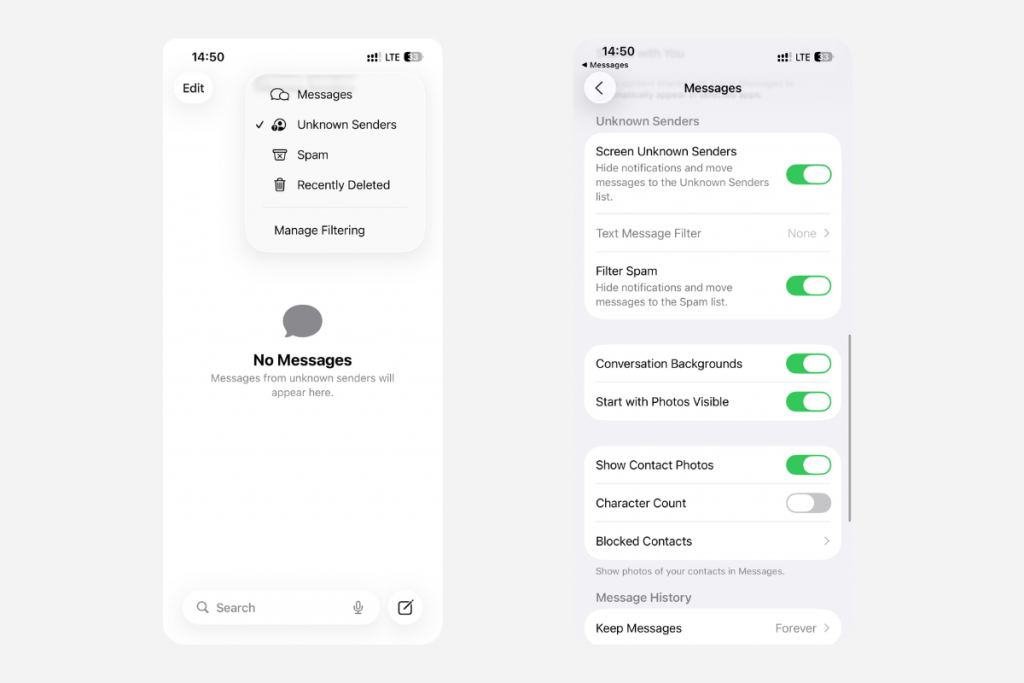
New ways to personalize chats:
- unique backgrounds (including your own photos) that are available to all participants;
- group polls for quick joint decisions;
- message indicators to view the activity of your conversation partners.
Calls from unknown numbers are also filtered. The system answers the call itself, clarifies the caller’s name and reason for calling, shows you the call information, and you decide whether to accept it or not.
Other Features
The operating system updates have affected almost everything. Here are a few more:
- Maps remember routes and warn about traffic jams;
- AutoMix automatically mixes several tracks;
- Tapback lets you quickly respond to messages while driving;
- the new Viewer app simplifies PDF editing (it includes a scanner and autofill).
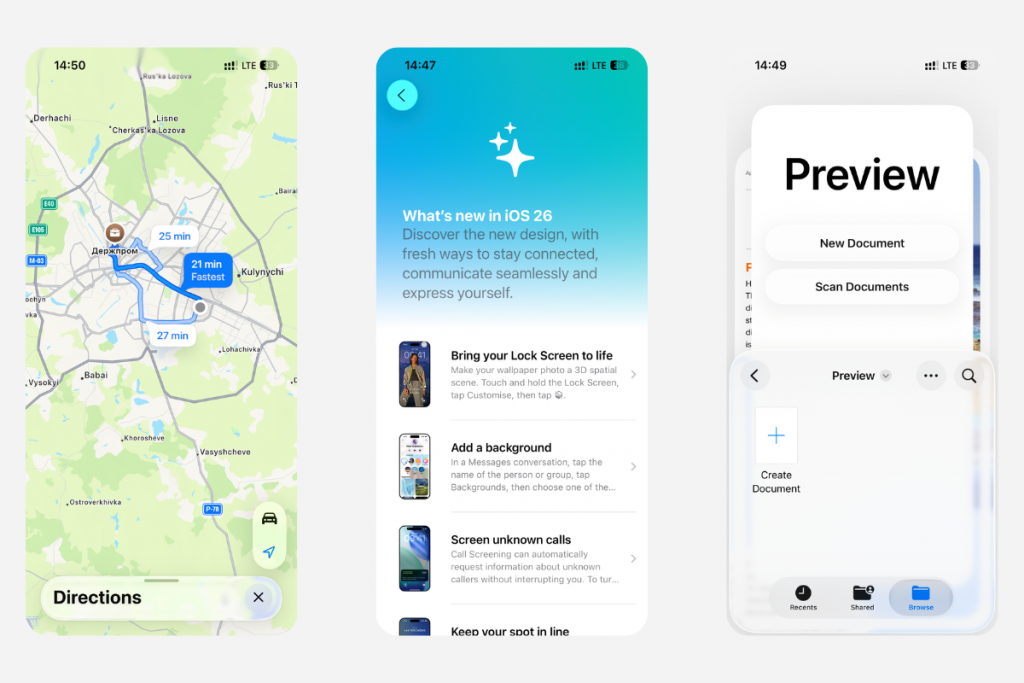
When the system (on iPhone 15 Pro and later models) realizes that the battery won’t last until the end of the day, it activates adaptive power saving mode. For example, if you usually return home by 7 p.m., your phone will take this into account.
iOS 26: Which iPhones Got the Update and What Do You Need to Know?
Another hot topic over the last six months: Which iPhones will get iOS 26? Apple made the update available for all smartphones starting with the iPhone 11. But some options might be different depending on the series — check out Apple’s guide for more info on each model.
The release date for all iOS 26 updates will be announced separately by the company — don’t ignore subsequent updates. They prevent minor bugs and improve system performance.
Sum Up
While everyone used to discuss the release date of iOS 26, businesses are now competing to see who has the most creative glass design — Apple has set a new trend in the digital world. All updates make your user experience more interesting — from Liquid Glass with an emphasis on the most important things to new translation capabilities.
If you have any difficulties updating your OS, please contact our experts at iSpace stores in Georgia for assistance. By the way, you can also test the latest smartphone models in person and see how iOS 26 works on them. And if you decide to upgrade your gadget, we offer several payment options, including Trade-in.
Check out more
What Did Apple Present at Its Main Presentation in 2025?
How to Use Your iPhone for Studying: 7 Life Hacks for School and College Students
Which Mac Should You Choose for Graphic Design and Video Editing in 2025?
Always be aware!
Subscribe to the newsletter and be the first to know about new promotions and special offers