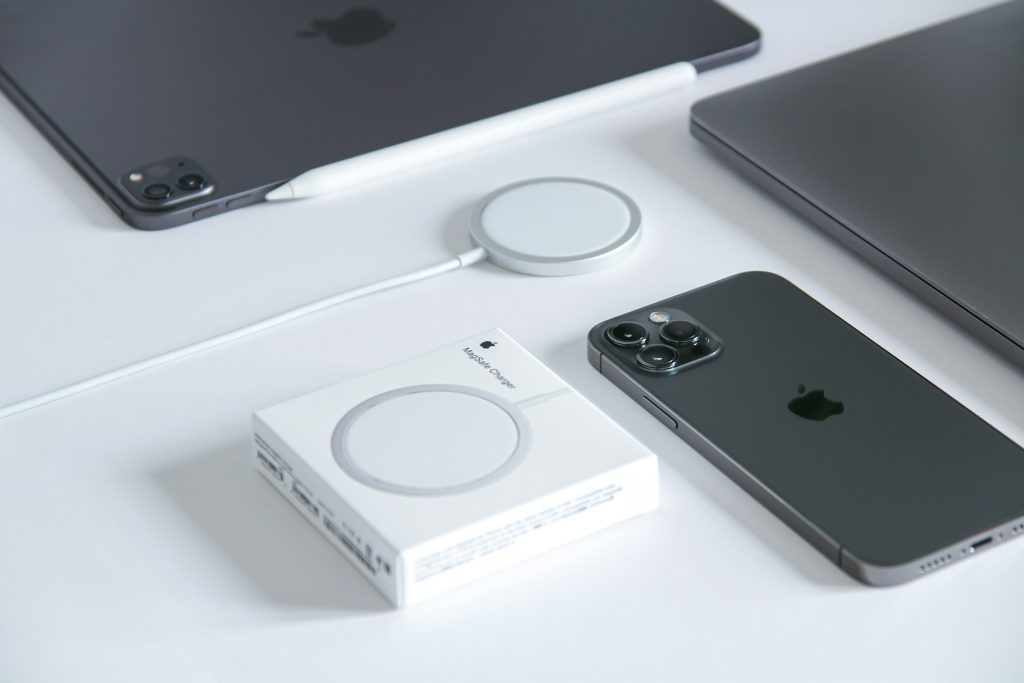
All modern iPhone, iPad, and MacBook models are equipped with powerful batteries that allow them to last an entire day without charging. However, over time, the capacity of any rechargeable battery decreases. How can you slow down this process and delay replacement? Find out in this overview.
How to extend the battery life of a MacBook?
The battery in current Mac models is designed for around 1,000 full charge cycles (from 0% to 100%). But this doesn’t necessarily happen in one go: if yesterday your Mac was charged by 50% and today by another 50%, that counts as one cycle. On average, MacBook batteries begin to lose efficiency after 3–5 years of active use. But with poor usage habits, they can degrade much faster. Don’t let that happen.
How to preserve your MacBook battery:
- Avoid full discharges. Draining your Mac to 0% occasionally isn’t critical, but doing it regularly is harmful. The optimal charge range is 20–80%.
- Enable Optimized Charging. Built-in macOS algorithms analyze your usage patterns and adjust charging accordingly. In simple terms: while plugged in (for example, during work hours), your Mac will stay at 80%. Just before you usually unplug it, the system will finish charging to 100%. To enable, type “Optimized Charging” in Spotlight and activate the toggle under Battery Health.
- Prevent overheating. Working in resource-heavy apps naturally heats the Mac. Make sure ventilation isn’t blocked (e.g., avoid using it on a bed).
- Don’t charge near heaters or in direct sunlight — this also causes overheating.
- Close unused apps. Background processes put extra load on the system and drain the battery faster.

How to check your MacBook battery health?
- Hold Option and click the Apple logo in the top left corner.
- Select System Information > Hardware > Power (or Battery Information).
Is it safe to keep MacBook always plugged in?
Yes. Macs have a built-in controller that protects against “excess” energy. Keeping your MacBook connected to power is completely safe.
Can you extend the battery life of an iPhone?
The battery in iPhone 14 and earlier models retains about 80% of its capacity after 500 full charge cycles. In iPhone 15 and iPhone 16, that number rises to 1,000 cycles. Once this threshold is passed and capacity drops below 80%, the phone begins to drain faster.
How long does an iPhone battery last? Typically, chemical aging takes 2–3 years of active use. It can’t be completely prevented, but it can be slowed down by following Apple’s recommendations.
How to extend iPhone battery life:
- Keep iOS updated — new versions usually include system optimizations.
- Maintain charge between 20–80%.
- Avoid overheating — don’t leave your iPhone in the sun, under a pillow, or near heaters.
- Optimize settings — enable Auto-Brightness, use Low Power Mode.
- Enable Charge Limit and Optimized Charging so your iPhone can analyze your charging habits and reduce battery wear.
Can you extend the battery life of an iPad?
Like iPhones, Apple tablets retain up to 80% of their original capacity after 1,000 recharge cycles. To extend iPad battery life:
- Lower screen brightness when possible.
- Activate Low Power Mode in Settings > Battery.
- Use the Charge Limit feature (available on iPad Pro M4 and iPad Air M2). This caps charging at 80% to reduce wear.
- Avoid using iPads in high heat — don’t leave them under the sun or in hot rooms.
Extra tips for longer battery life
If you’re not planning to use your Apple device for a long time, charge it to 50–80% before storing. Do not leave your MacBook, iPhone, or iPad fully discharged or at 100% while turned off.
Now you know how to keep your Mac, iPhone, and iPad batteries in good condition for as long as possible. If you experience battery issues, contact an authorized iSpace service center for diagnostics and possible replacement. Our experts follow Apple standards and use genuine parts. All work comes with a warranty — with iSpace, your device is in safe hands.
READ ALSO
How does Apple warranty work in Georgia and what you need to know about the service
Top 5 iPhone Accessories You Can’t Do Without in 2025
Love sports? Top Apple gadgets for workouts
Always be aware!
Subscribe to the newsletter and be the first to know about new promotions and special offers