While you’re getting ready for the new school year and settling into a routine, start a new habit — use your iPhone as a full-fledged study tool. The device has built-in features and special modes that help you organize your work and increase productivity. We’ve highlighted iPhone features for students and schoolchildren — check them out and put them to use.
Live Listen
The Live Listen feature works with AirPods and turns your iPhone into an external microphone. The sound from the device is transmitted directly to the headphones, helping you hear what’s going on around you better. Use this feature during lectures when you are far from the teacher or when the class is held in a noisy auditorium. Simply place your smartphone closer to the sound source for clearer voice transmission.
To activate the feature, open the Control Center (swipe down from the top right corner of the screen), add the Hearing element, then select the microphone icon to enable the mode.
Live Text და სკანერი
To save time rewriting notes, use Live Text. Point your camera at the page and wait until an icon with a couple of lines in the lens appears at the bottom left — now the text is ready for processing. You can copy, send, translate, and save it to notes and documents.
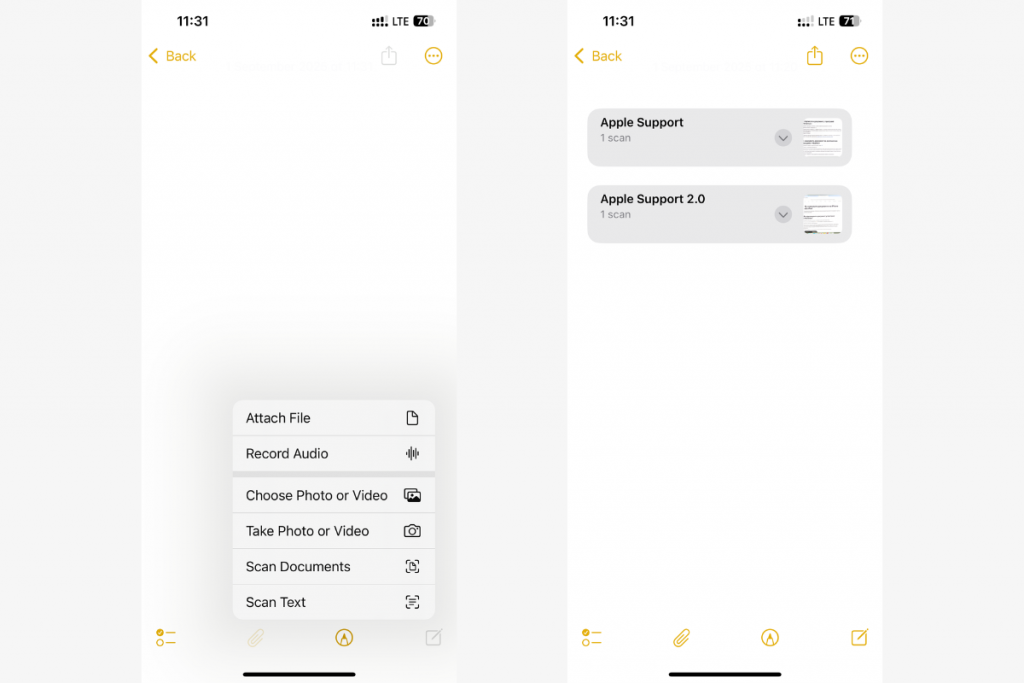
If you need to save the information as a PDF, use the scanner in Notes. To use this feature, tap the Attachments button in a new or existing note and select Scan Documents.
Apple Intelligence
Apple Intelligence features are available on iPhone 16 (all models), iPhone 15 Pro, and iPhone 15 Pro Max. The system uses built-in AI to simplify working with text and notes:
- proofreading — checking what you’ve written and adjusting the tone;
- summarizing — condensing long texts into key ideas;
- audio in Notes — automatically transcribing recordings and converting them into summaries.
Apple Intelligence integrates with ChatGPT. Chatbot features are accessible without separate registration. However, there is one caveat: the device’s system language must be English, German, Italian, or another language from the list provided on the Apple website.
ხმოვანი წაკითხვა
Spoken content allows your phone to read text on the screen, either in fragments or continuously. The option supports around 60 languages and accents.
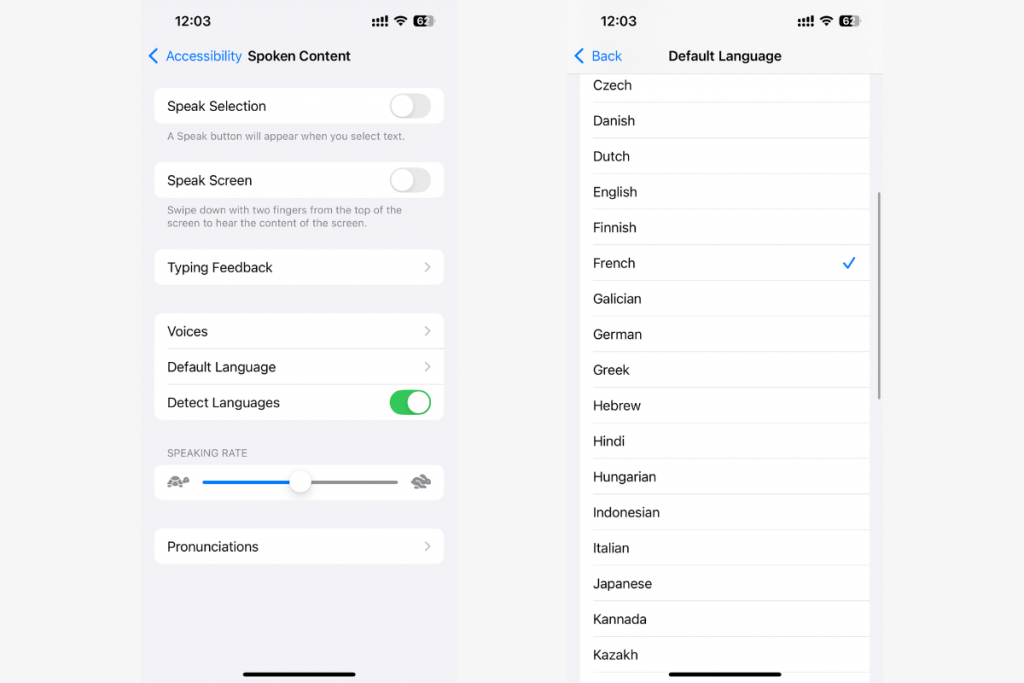
Additional settings are available: highlighting words while reading, adjusting playback speed, and choosing from eight voices. This mode is useful for learning foreign languages and developing listening comprehension. To activate this feature, open your device settings and find “Spoken Content.”
Time Management
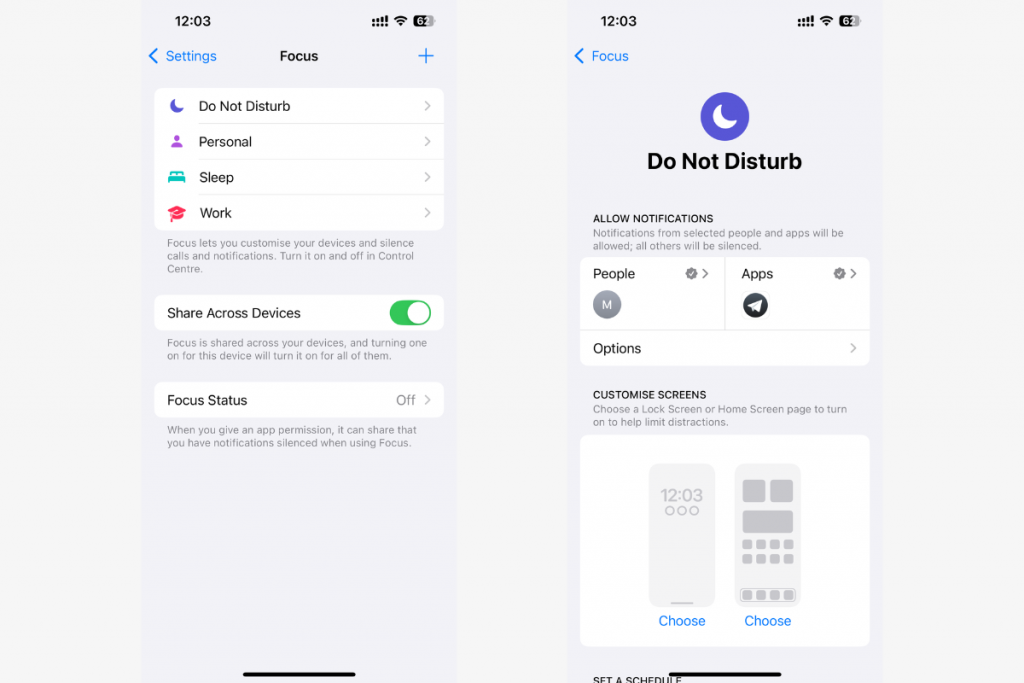
Another way the iPhone helps you learn is through time management with Focus and Screen Time. The first option hides unnecessary notifications and leaves only selected ones. For example, in the settings, you can allow calls from family and calendar reminders, while disabling other notifications during lessons or classes.
Screen Time shows statistics on iPhone usage by category: study, communication, and entertainment. The reports will help you understand how much time you spend on each category. If necessary, you can set restrictions, such as a limit on social media usage during the day.
Camera as a Scanner for Your Laptop
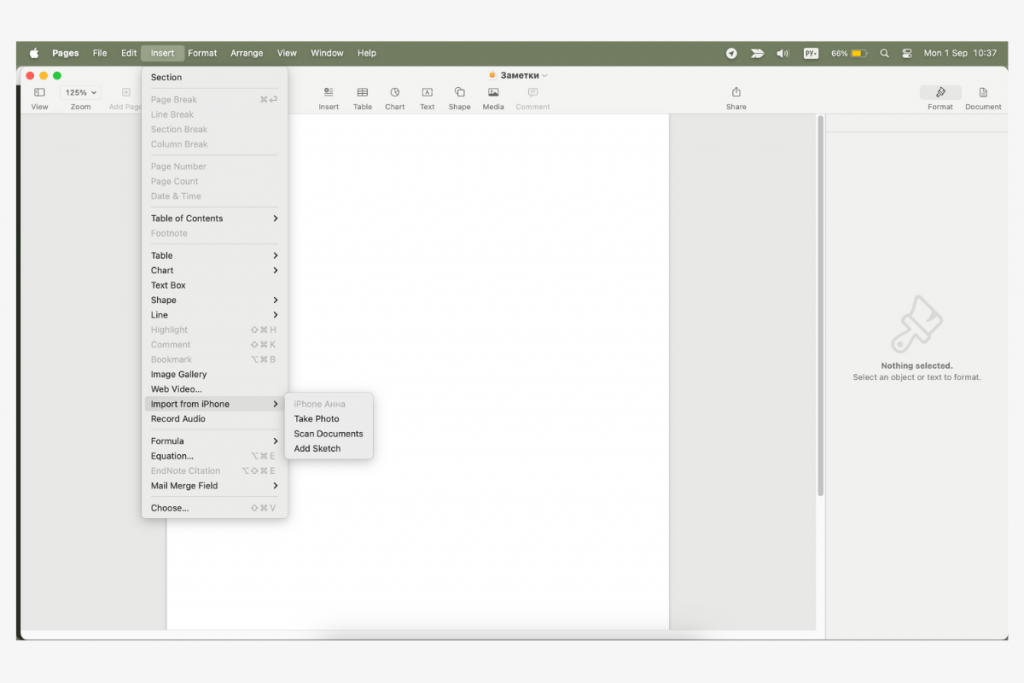
The “Insert from iPhone” feature allows you to use your smartphone’s camera directly on your Mac — no need to send images via messengers or cloud services. To take advantage of this feature:
- Turn on Bluetooth and Wi-Fi on both devices (they must be connected to the same network).
- Open a standard application on your Mac, such as Notes, Keynote, or Finder.
- In the menu, select “Insert from iPhone” → “Take Photo.” The iPhone camera will open automatically, and the photo you take will immediately appear in the selected application.
However, the account must be the same on all gadgets; otherwise, synchronization will not work.
Notes
An iPhone can replace a notebook for studying. The Notes app is convenient for taking notes, creating diagrams, and making quick sketches. Small iPhone life hacks for studying: if you need a neat shape, draw it on the screen and hold your finger down—the lines will automatically align.
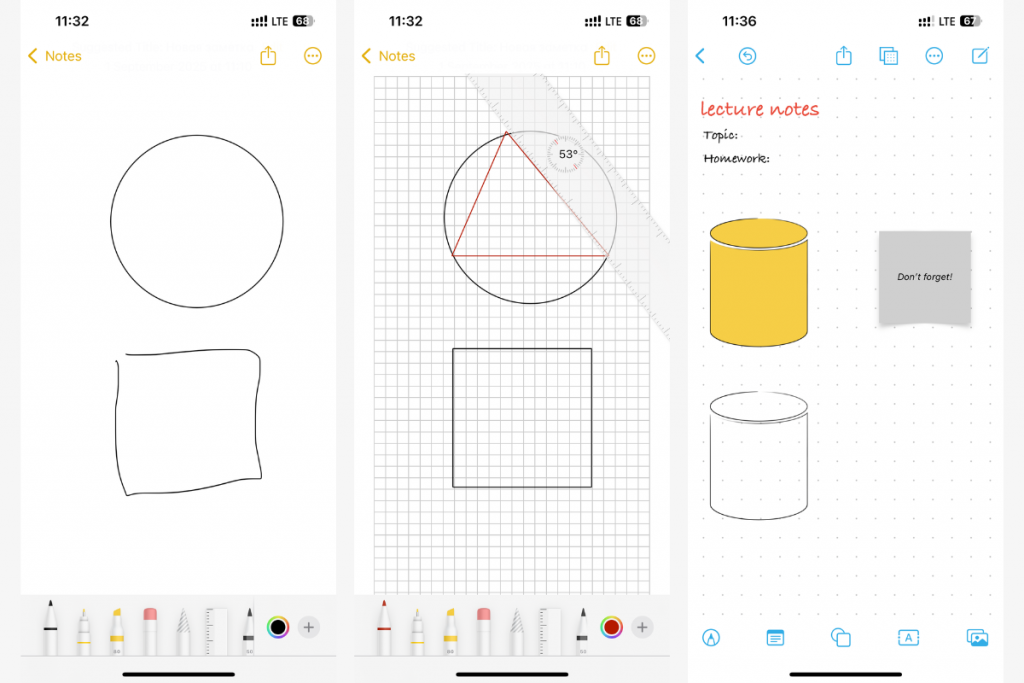
Freeform is suitable for larger-scale ideas and collaborative work. It makes it easy to build large diagrams, mind maps, and projects by combining text, drawings, and images on a single workspace.
Conclusions
Most of the features listed are available on the latest iPhone models, including the basic versions. The exception is Apple Intelligence options, which require chip support. Our advice: iPhones for schoolchildren and students should continue to receive OS updates for several more years.
The latest iPhone models are available at the iSpace store. We offer original gadgets, a warranty, and an authorized service center. You can place your order online with delivery throughout Georgia. We have brand stores in Tbilisi and Batumi: all smartphones are openly available here, so you can test them before buying. And if you still have questions, ask our experts.
Check out more
Which Mac Should You Choose for Graphic Design and Video Editing in 2025?
5 Essential Apple Gadgets for Studying in 2025
How to Turn an iPad into a Laptop: Changing Settings and Finding the Best Accessories
Always be aware!
Subscribe to the newsletter and be the first to know about new promotions and special offers