On March 2, Apple expanded the iPad Air tablet lineup with a new model. If you are considering upgrading your device, this article will help you understand the features of the gadget. We will explain everything about the iPad Air M4 — an overview of specifications and differences from previous generations will help you decide who needs it and which version to choose.
Why iPad Air M4 Is One of the Most Anticipated Apple Releases of 2026?
The spring release visually resembles the previous generation but received the M4 chip — such hardware makes the device especially fast. New internal components also improve wireless connectivity.
What Innovations Appeared in iPad Air M4?
The tablet’s performance has increased significantly thanks to the M4 chipset. The gadget is 30% faster than last year’s model and 2.3 times faster than the device powered by the M1 processor. Bandwidth reaches 120 GB/s, and the unified memory capacity is 12 GB, which is 4 GB more compared to the previous generation. This allows Apple Intelligence tools and graphics processing to run extremely smoothly.
The device received the N1 wireless chip and its own 5G modem C1X. The tablet now supports Bluetooth 6 and Wi-Fi 7 standards.

Main Specifications of iPad Air M4
The specifications of the iPad Air M4 have changed significantly. The manufacturer noticeably upgraded the hardware compared to previous generations.
| Specification | Value |
| Chip | M4, 8-core CPU and 9-core GPU |
| Neural Engine, Cores | 16 |
| Unified Memory, GB | 12 |
| Storage | 128, 256, 512 GB or 1 TB |
| Display | Liquid Retina, 11 and 13 inches |
| Display Refresh Rate, Hz | 60 |
| Connectivity | N1 chip 5G modem C1X |
| Main Camera | 12 MP with 4K video recording |
| Front Camera | 12 MP with Center Stage support |
| Battery Life, Hours | Up to 10 |
| Dimensions, mm | 247.6×178.5×6.1 — 11 inches 280.6×214.9×6.1 — 13 inches |
The price of the gadget is reasonable, while offering strong performance, solid battery life, and modern connectivity.
Design and Versions With 11 & 13 Inches
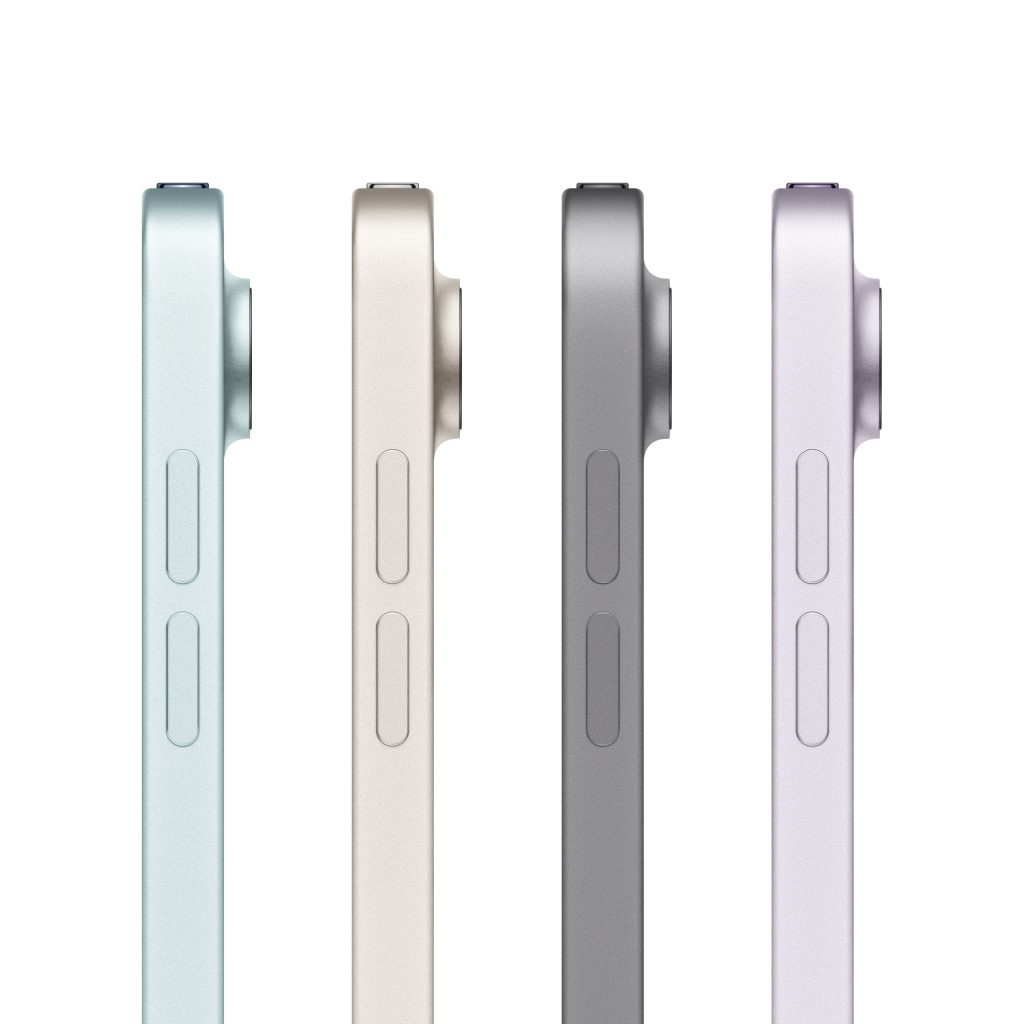
The design continues the brand’s recognizable minimalism and remains similar to previous versions. iPad Air M4 is available in four colors:
- Space Gray;
- Purple;
- Blue;
- Starlight.
Regardless of the screen size, both versions are suitable for graphics, documents, notes, movies, and editing. Choose the display size based on your preferences. For example, the 11-inch model is more compact, while the 13-inch version with a keyboard can resemble a MacBook Air 13.6″.
Is The Display of the New Model Enough for Work and Entertainment?
The Liquid Retina display with True Tone technology and P3 color gamut provides excellent image quality and adapts colors to surrounding lighting. Brightness ranges from 500 to 600 nits (depending on configuration), which is sufficient for clear detail even under sunlight or bright office lighting.
Performance of iPad Air M4 for Different Tasks
The hardware capabilities cover almost every need — from reading books to rendering. You can work in Safari, create content in Figma, review references in presentations, and run AI features at the same time.
Study and Work
iPad Air M4 can replace a laptop. When working in multiple windows, the device remains responsive, and processing large volumes of data is easier thanks to the increased memory capacity. Its lightweight design and compact body make it convenient to carry to the office or university, on business trips, or on vacation.
Drawing and Content Creation
Enjoy comfortable drawing with Apple Pencil Pro and faster video rendering with improved ray tracing. Creating and editing content becomes easier.
Games and Multimedia
Entertainment reaches a new level: realistic games, smooth streaming, and convenient video viewing. The tablet handles demanding tasks while the display maintains high visual quality.
Battery Life and Charging of iPad Air M4
The tablet works up to 10 hours without recharging, which is enough for an active workday. However, when a keyboard and stylus are connected, battery life may decrease to 6–8 hours. The device charges through a USB-C port.
Apple Pencil Pro and Magic Keyboard: What Are the Accessories for?
The tablet is compatible with Apple Pencil Pro and Magic Keyboard. The stylus is useful for designers and artists — it recognizes pressure sensitivity and gestures. The keyboard helps transform the tablet into a laptop and keeps the display fixed in a comfortable position.
Who Is the New Model Suitable for?
iPad Air M4 will be useful for office employees, students, school pupils, and designers. The new model is also suitable for gaming and watching movies.
The tablet will soon be available at iSpace — Apple Premium Partner in Georgia. You will be able to test it in physical stores or order it online. Follow the updates on social media and on the website.
FAQ
What’s new compared to iPad Air M3?
The M4 chip made the current model 30% more powerful than last year’s version. The gadget received new connectivity capabilities and performs Apple Intelligence tasks faster.
11 or 13 inches: which size to choose?
For travel, the lightweight and compact 11-inch iPad Air M4 is more convenient. If you want to use the tablet as a laptop, choose the 13-inch version.
Will iPad Air M4 be useful for study and work?
The device is well-suited for both work and study tasks. It supports applications such as GoodNotes and Apple Creator Studio.
What are the differences from iPad Pro?
The main difference is performance. Devices from the Pro lineup have more cores and greater memory capacity. The 2025 Pro model also received an Ultra Retina XDR display with a refresh rate of up to 120 Hz.
Check out more
iPhone 17e — Overview of Apple’s New Release
MacBook Air With the M5 Chip — A Major New Release of the Year
Always be aware!
Subscribe to the newsletter and be the first to know about new promotions and special offers