According to the Global Anti-Scam Alliance (GASA), global losses from online fraud exceeded $1.03 trillion in 2024. More than 2.5 billion people encountered scams at least once during the year. Fraudsters constantly invent new ways to steal money or personal data, and recently they have been actively using Apple ID for this purpose. Let’s look at how to avoid falling victim to online fraud.
Why Do Fraudsters Increasingly Use The Internet for Scams?
The internet has given scammers what they once could only dream of: anonymity, scale, and speed. To send a million phishing emails, there is no need for a network of hundreds of people — one person with a laptop and a subscription to an automated mailing service is enough.
Types of Fraud Schemes
Scammers build each scheme with the victim’s psychology, current technologies, and trust in platforms in mind. Let’s look at the most common methods.
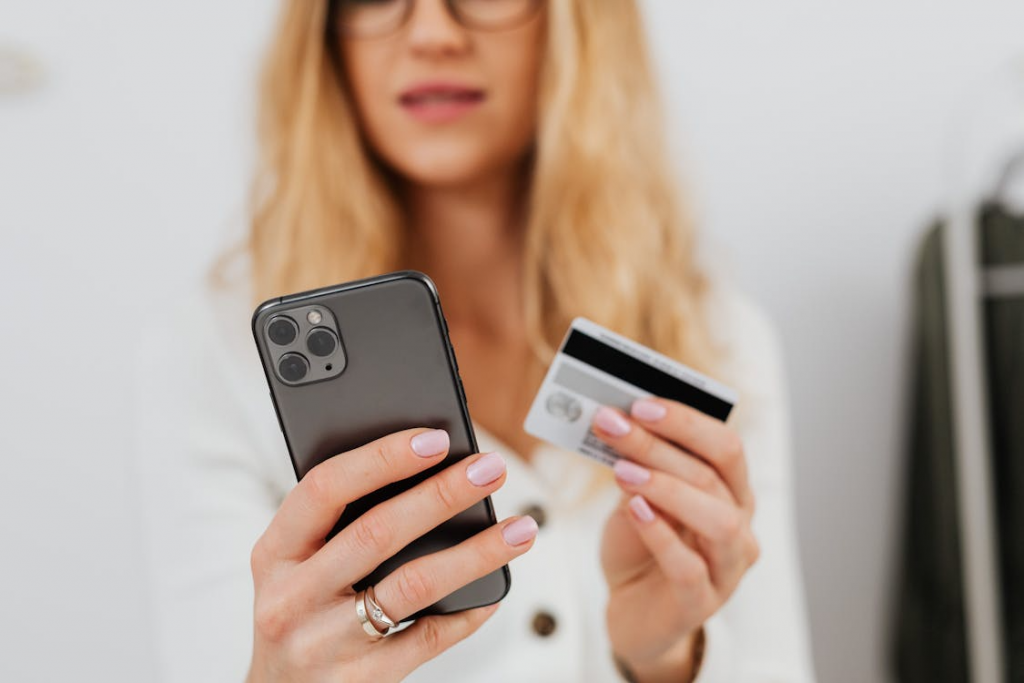
Fraud Through Messages
Smishing, from SMS, and phishing remain mass and highly effective methods. The scammers’ goal is to convince you to follow their link. For example, you may receive a purchase receipt or a delivery notice with a link that leads to a fake website.
The user enters card details “for verification,” and the data instantly ends up with the attacker. Messages often imitate marketplaces such as Amazon or AliExpress, relying on the chance that the person actually placed an order.
Fraud Through Messengers And Social Networks
Gamers, especially children and teenagers, often fall for scams in game chats, Discord servers, or comments under Twitch videos. A typical message looks like: “Free Robux in Roblox (Minecraft and other games). Follow the link and enter your login/password.” After the so-called verification, the account and personal data are compromised, and scammers may gain access to a linked payment card.
Fake Job Interviews On Official Platforms
Scammers often post realistic vacancies on reputable platforms such as LinkedIn, and Indeed. After messaging with an “HR specialist,” you may be asked to download a corporate app and sign in via Apple ID. This can give fraudsters access to devices, purchases, passwords, and bank cards if they are saved in Apple Pay.
Fraud When Selling New Devices
Scammers may sell iPhone, MacBook, or iPad devices and, after the purchase, in person or via “support service”, ask you to follow a link and sign in to Apple ID to activate the warranty or unlock the device.
In reality, the device may be locked via Find My iPhone or contain tracking software. By following the link, you hand over your account information to the attackers.
Fraud Through Giveaways And Prize Notifications
Fraudsters often manipulate giveaways, especially influencer promos and lotteries. For example, you might receive a message: “You won an iPhone! To claim it, confirm your identity and sign in to Apple ID.” They may then request money for account activation, delivery, or various fees.
How To Recognize Online Scams And Avoid Falling For Them?

Fraud schemes are often detectable if you keep a clear head and check the details. To protect yourself from scams, use these practical steps:
- Check the URL (link address) — for example, the official site is apple.com, while scammers may use a fake like appie.com.
- Don’t rush — urgency or “limited time” pressure is a common red flag.
- Never share Apple ID, passwords, or codes — official support will not ask for this information.
- Enable two-factor authentication — turn it on for email, banking, Apple ID, and messengers.
- Stay calm and think critically — if you didn’t enter a giveaway, you won’t “win,” and a job with unreal terms without interviews and a formal offer may be fake.
A steady, skeptical mindset reduces the chance of handing over data or money. When in doubt, stop the conversation, verify the source through official channels, and only then take any action.
To avoid scams when buying devices, purchase from authorized sellers. In Georgia, iSpace is an Apple Premium Partner and offers only original devices. All gadgets come with a manufacturer’s warranty, and you can get advice from in-store experts or contact the service center for maintenance and repairs.
What To Do If You Become A Victim Of Scammers?
The faster you react, the less damage you may take. If money was stolen, call your bank immediately to block the account or card, and ask to open a dispute for the transaction — the bank will review your fraud claim. Take screenshots of the chat with the scammers before they delete it.
If you lose access to your Apple ID, go to iforgot.apple.com from a trusted device to reset your password and recover the account. If that doesn’t work, contact Apple Support via support.apple.com and prepare documents that prove your identity and purchase (receipt and invoice). The process can take time, but account recovery is possible.
Report the fraud to the police: in Georgia, the emergency number is 112, and you can also visit the nearest station. In this case, an authorized service center won’t be able to help, because it has no access to customer data, passwords, or reset links.
FAQ
How to tell that a prize message is a scam?
If you didn’t enter a giveaway, but you’re told you won and are asked to pay a fee, tax, or delivery, it’s a scam. Common signs include time pressure, mistakes in the text, and suspicious links.
Can you get your money back if you fell for scammers?
You should contact your bank and file a dispute for an unauthorized or suspicious transaction — if you act quickly, the transfer may be blocked. At the same time, file a police report.
How to protect children from online scams?
Explain that they should never share SMS codes, CVV codes, or passwords — even with someone claiming to be a friend or a support agent — and should not follow links inside games. Enable parental controls and limit online payments.
How to tell a real mailing from a fake one?
Check the sender address: legitimate companies use corporate domains and do not request sensitive information by email. Anything else is likely a scam.
Check out more
How iPhone Protects Your Data: Apple Security Explained
How does Apple warranty work in Georgia and what you need to know about the service
How to Record Phone Calls on iPhone?
Always be aware!
Subscribe to the newsletter and be the first to know about new promotions and special offers