iOS and Android devices are very different. Apple smartphones often have an advantage, as users value them for their well-designed ecosystem and enhanced data protection.
When choosing your first device from the brand, consider the latest generations. Base models starting from the iPhone 16 series and flagship models starting from the iPhone 15 support AI features and offer longer battery life.
Below, we will explain which iPhone model a beginner should consider in 2026 and how to easily transfer data from an old device to a new one. iSpace experts in the online store and retail stores in Georgia will help you choose the right tech for your needs, answer all your questions, and assist with setup.
iPhone or Android: What Is the Difference?
iPhone runs on iOS, Apple’s proprietary operating system. Developers update it regularly, improving security and built-in features. A closed ecosystem with an intuitive design brings all Apple devices together into one network. You can take a photo on your phone and immediately edit it on your laptop, as the data syncs instantly.
Android is an open-source operating system. It is used by devices from different brands, including Samsung, Honor, Vivo, and others. Their interfaces vary because each manufacturer has its own software skin.
Which Is Better: iPhone or Android?
Flagship devices on both platforms are powerful enough. They can handle demanding games, several apps running at the same time, and 4K video recording.
| Specification | Apple iPhone 17 Pro Max | Samsung Galaxy S26 Ultra |
| Processor | A19 Pro | Snapdragon 8 Elite Gen 5 |
| RAM | 12 GB | 12 or 16 GB |
| Display | OLED | Dynamic AMOLED 2X |
| Screen size | 6.9 inches | 6.9 inches |
| Refresh rate | 120 Hz | 120 Hz |
| Brightness | 3000 nits | 2600 nits |
| Main camera | Triple Fusion camera, 48 MP for each camera | 200 MP with a high aperture |
| Front camera | 18 MP, with frame rotation support | 12 MP, with AI-based image processing |
| Battery life in video playback mode | Up to 37 hours | Up to 31 hours |
The advantages of iOS devices include a benchmark ecosystem, smooth performance, and high content quality. These are the qualities millions of people value them for. The specifications of Android flagships vary and depend on the brand.
Who Is an iOS Smartphone Right For, and Who Should Choose Android?
iPhone is more often chosen by those who value predictable performance, a clear interface, and integration with other Apple devices. iOS is a good choice for school students, university students, creative professionals, engineers, and users who do not want to spend much time figuring out settings. Everything works flawlessly right out of the box.
Android smartphones are better suited for users who want flexibility. Here, it is easier to change the look of the interface, adjust the system to your habits, download apps, and choose a device for a specific budget. However, everything depends on the brand and its software skin.
How to Switch from Android to iPhone?
The Move to iOS app will help you easily transfer data from Android to iOS, whether it is photos or calendar reminders. It is available on Google Play. First, prepare your devices: turn on Wi-Fi on your old device, connect all devices to chargers, and check whether there is enough free space on your new device.
Turn on your Apple smartphone and start the standard setup — follow the prompts on the screen. The step-by-step instructions for transferring data from Android to iOS are simple:
- When you reach the Quick Start step on your iOS device, select it.
- When Transfer Apps & Data appears, tap From Android, then Transfer via App.
- A numeric code will appear on your iPhone — enter it on your old device.
- Tap Connect to join the temporary Wi-Fi network.
- Select the files, settings, and other information you want to transfer.
- Confirm the action and wait until the process is complete.
If the storage becomes full during the process, it is better to erase the data on the iOS device and start the procedure again. To free up space, it is better to download messengers directly from the App Store, so you do not transfer unnecessary cache.
Which iPhone Should You Buy in 2026?
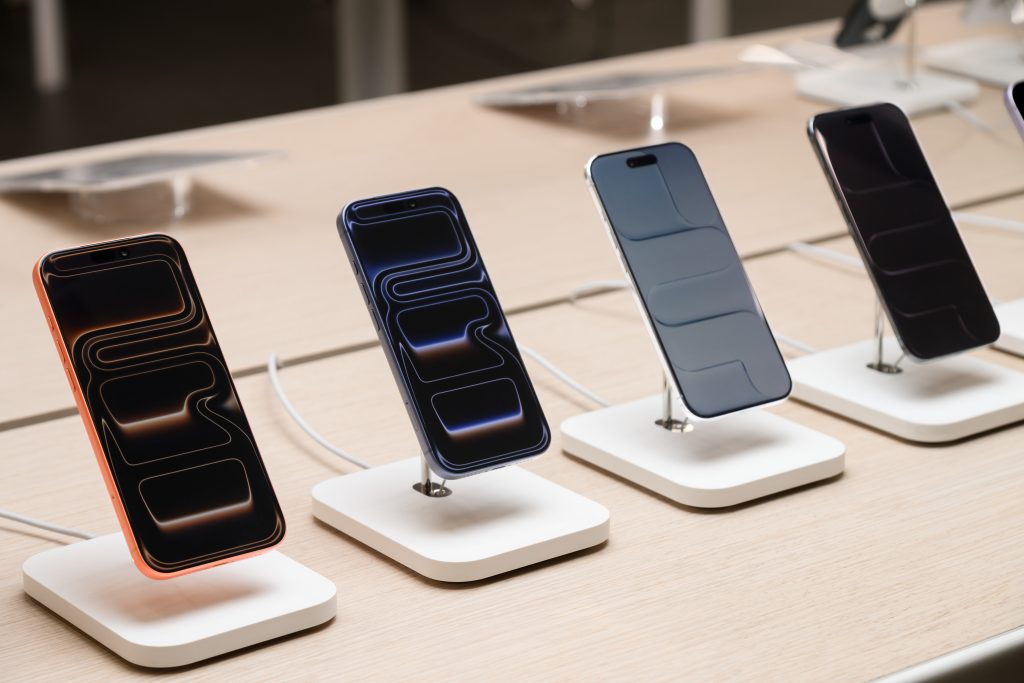
The base iPhone 17 is the optimal model. It has a new chip, a 120 Hz display, so even the most dynamic games do not stutter, and access to Apple Intelligence. The flagship models — iPhone 17 Pro and iPhone 17 Pro Max — come with a high-performance chip and more RAM. These smartphones are equipped with a LiDAR sensor and can handle almost any complex task.
The key differences between the operating systems are:
- the easy-to-learn and closed iOS stands out for its high level of security;
- Apple supports its smartphones for a long time — this year, iOS 27 will be available even for 11th-generation devices;
- Android offers broad customization options.
If you are unsure which smartphone to choose, iSpace experts — Apple Premium Partner in Georgia — are always available. They will help you find the perfect iPhone for your needs. If necessary, they will also transfer information from your old device to the new one and set up basic services.
Device prices start from 2 729 lari. You can buy a device through Trade In, an installment plan, or a bank loan. The tech is available for hands-on testing in retail stores in Batumi and Tbilisi, so you can hold the phone and check its features before buying. You can also place an order online with delivery — we will carefully pack the device and send it to you.
FAQ
How do you start using an iPhone after Android?
First, create an Apple ID and transfer data from your old smartphone. After that, set up backups, iCloud, and Face ID so the device is ready for everyday use. Step-by-step prompts will appear on the screen after you turn it on.
What are the downsides of switching from Android?
It takes a little time to get used to the iOS interface and understand how to use an iPhone after Android. Also, paid apps purchased on Google Play cannot be automatically transferred to the App Store.
What data can be transferred from Android?
You can easily transfer contacts, messages, photos, videos, and some files from your smartphone’s storage to your new iPhone. The Move to iOS app also helps save some browser data, including tabs.
What breaks more often: iPhone or Android?
All Apple devices are considered durable. The reliability of any Android device depends on how the model is built and how you use it. After all, Android is not a specific smartphone model but an operating system used by dozens of manufacturers.
Why do people switch from Android to iPhone?
Most often, users choose iOS for data protection, a quality camera, a clear interface, and convenient connection with other Apple devices.
What does Android have that iPhone doesn’t?
Android gives users more freedom to change the interface and system settings. It is also easier to install apps on such smartphones, not only from the official store.
What is the app for transferring data from Android to iPhone called?
Apple’s official app is called Move to iOS. You can download it from Google Play.
Check out more:
How to rescue a waterlogged iPhone?
Why is it necessary to reboot Apple devices regularly?
Always be aware!
Subscribe to the newsletter and be the first to know about new promotions and special offers