The smart assistant makes your life easier. It answers questions, creates notes, sends messages, and helps you control apps. In this article, we have collected tips on how to use Siri features on your iPhone effectively and save time.
What Can Siri Do in 2026?
In 2026, the digital assistant has access to your calendar, emails, messages, and documents. It keeps learning: the more often you give Siri commands, the better it performs them. However, access to features depends on the region and language.
Activate the assistant in Settings (“Siri” or “Apple Intelligence & Siri”), then simply say the trigger phrase — you will need to say it every time you want to address the assistant. You can also set up assistant activation with a button.
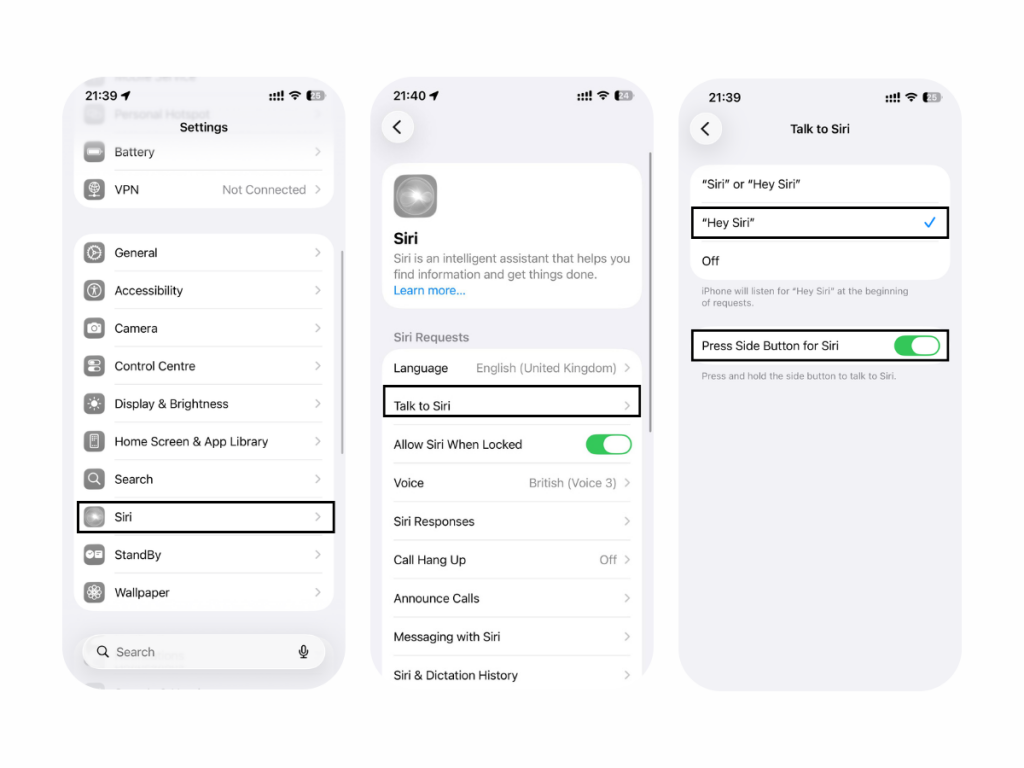
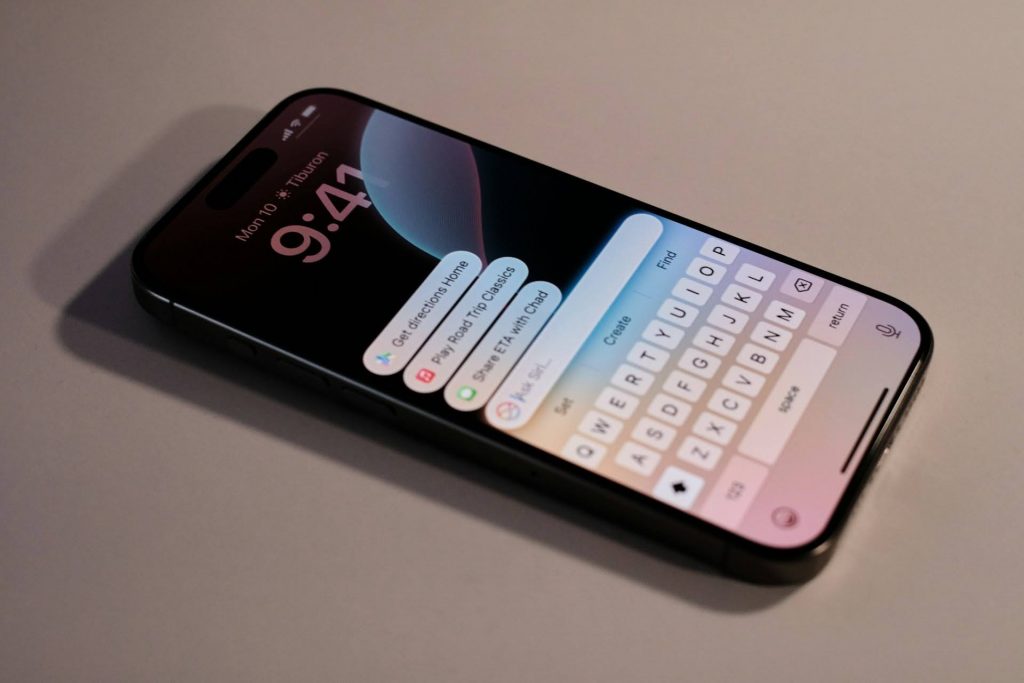
Commands can be given not only by voice, but also by typing. To do this, use Apple Intelligence or Accessibility.
Quick Reminder
Use voice commands for Siri to create a reminder. This can be a phrase like “Remind me to water the flowers in the evening” or “Remind me to congratulate my mom at 11:00.”
Add a To-Do List
To add a to-do list, say, “Create a list and leave these items there.” With Siri commands, you can record specific actions in the Reminders app.
How to Control a Smart Home with Siri?
To control a smart home and the devices connected to it, use the Home app (Apple HomeKit). Here is what the intelligent assistant can do:
- turn HomeKit accessories on and off using smart outlets (“Turn off the heater”);
- control devices at a specific time (“Lock the front door at 8:00 PM”);
- check the status (“Is the garage door closed?”).
You can set up several scenes to control devices with one phrase. For example, say, “I’m home,” and the assistant will turn on the light at the right brightness and adjust the temperature.
Find a Device
The intelligent assistant will help you find a device from the Apple ecosystem by playing a sound on it. However, this works if you have set up Find My in advance — there is an instruction on the blog on our website. You can phrase Siri requests like this: “Where is my iPad?” or “Find my AirPods.”
Passwords
The assistant finds the passwords you need saved in Keychain. It will open the “Passwords & Accounts” section, and then you can copy the information from there.
Turn Off an Alarm
You can turn off an alarm by voice without unlocking your iPhone. If one alarm is set, the phrase “Turn off the alarm” is enough. If there are several, be more specific: “Turn off the 6:30 alarm.”
Weather
Siri features include the assistant’s ability to recognize app data, including data from Weather. Just ask for today’s forecast in the city you need — it will show the information on the screen or say it out loud.
Siri Commands for Travel and Languages
The smart assistant can control maps: build routes, find landmarks, and locate the nearest cafe. You can also ask it to translate a phrase into one of the languages supported by the assistant or ask it to enter the request in a translator.
Siri and Apps
The assistant controls apps: it can play your favorite track, launch a game, or suggest a movie for an evening watch on command. The request structure is similar to the previous ones.
Apple Intelligence Features
Thanks to Apple Intelligence, the smart assistant can:
- understand context;
- recognize your speech even if you stumble;
- request information through ChatGPT;
- understand complex multi-step commands.
AI does not support Georgian. You can set English, Chinese, Spanish, or another supported language as the system language to use the features.
Top Useful Siri Commands for iPhone
The ranking is topped by:
- information search, for example, “Find a coffee shop nearby”;
- time and reminder management, “Set a timer for half an hour”;
- communication, “Call my sister.”
Owners of other Apple ecosystem devices can also use the smart assistant’s features. It works on Mac, iPad, Apple Watch, and AirPods with the latest OS versions.
If you have any difficulties or additional questions about using the smart assistant, contact the experts at iSpace — an Apple Premium Partner in Georgia. By the way, in our physical stores in Batumi and Tbilisi, as well as in the online store, you can upgrade your Apple devices on favorable terms.
FAQ
What interesting commands does Siri know?
Siri can turn on the flashlight with the “Lumos” command and turn it off with “Nox.” You can ask the assistant to “Flip a coin,” and it will say heads or tails.
How should you give Siri commands so it understands you the first time?
Commands should be clear and concise, but speak naturally. Start with the action, then move on to the object: “Send a message to Mom.”
What can Siri do with Apple Intelligence?
The AI system lets you make context-aware requests, enter requests by text, and get information about ecosystem devices. Turn on Apple Intelligence (available on iPhone 15 Pro and later), install the latest iOS, and switch to a language supported by AI, such as English, German, Chinese, or another one.
Does Siri work without the internet?
Offline mode is available on devices with iOS 15 and later. The assistant can handle internal apps and phone settings, but it cannot answer questions or play music that requires the internet.
Can Siri be used in Georgian?
No, Siri can not be used in Georgian. But, smart assistant supports English, Chinese, and other foreign languages.
Check out more
Is It Necessary to Close Tabs on iPhone: Harm or Benefit?
How iPhone Protects Your Data: Apple Security Explained
How to Choose an iPhone in 2026: Popular Series
Always be aware!
Subscribe to the newsletter and be the first to know about new promotions and special offers