
The MacBook Air ultrabook with an M-series chip is suitable for programming. It works silently and does not distract you, its Apple-designed chipset is powerful enough, the display shows a clear image, and the keyboard does not make loud clicking sounds.
To ensure the laptop meets your expectations, choose the right model. For programming, configurations with 16 or 24 GB of unified memory and storage starting from 512 GB are suitable. A modern MacBook Air is a good choice for web development, studying, freelance tasks, office development, and everyday work with code.
Read on to find out whether MacBook Air is suitable for programming and which tests help assess its performance. If you still have questions, iSpace experts will be happy to help. It is easy to choose a device with the right configuration for your professional tasks. To do this, visit our physical stores in Batumi and Tbilisi or contact us through the website.
Why Is MacBook Air Suitable for Programming?
There are five key reasons why MacBook Air is a good option for programmers. These include:
- Excellent performance. The powerful M-series chip can handle a local server, terminal, IDE, and dozens of browser tabs open at the same time, so the laptop will not freeze.
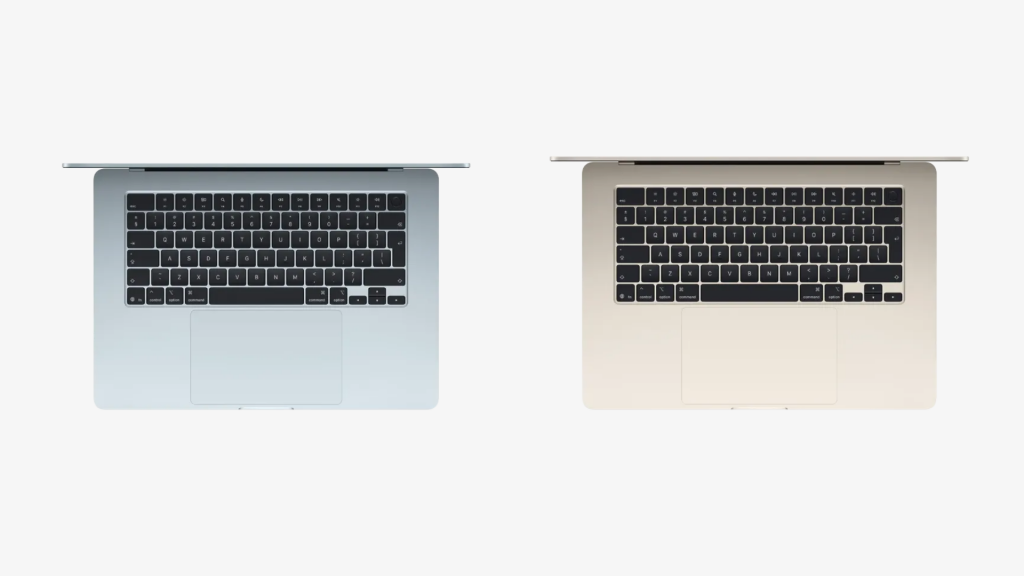
- Convenient control. The keys on the Magic Keyboard do not make loud clicking sounds during work, the scissor mechanism reduces the number of accidental keystrokes, and the tactile response is strong. Current models in the line also have a large Force Touch trackpad, so it is easy to write scripts even on the go if you do not have a mouse at hand.
- Eye comfort. The Liquid Retina display with high pixel density shows even the smallest details clearly. Thanks to True Tone technology, the colour temperature automatically adjusts to the lighting.
- Nothing distracts you from work. Even when creating a resource-intensive project, the laptop does not produce acoustic noise. MacBook Air simply has no fans, but this does not affect its performance thanks to a well-designed passive cooling system.
- High battery life. The battery can withstand 10–15 hours of continuous development in an IDE, so you can work without recharging for almost the whole day.
MacBook Air is an excellent choice for coding. Everything in the device is designed to keep you comfortable even during a long project build.
How Much Memory Do You Need for Development on a MacBook?
A hardware memory upgrade is not possible. It is better to think in advance about how much SSD storage and unified memory you will need soon, and leave some room for future needs.

The minimum for web development is 16 GB of unified memory. This is enough for:
- automated testing;
- writing light Python scripts;
- frontend and backend development with JavaScript, HTML/CSS, and Node.js.
24 GB is worth choosing if you build mobile applications. In this case, there will be no delays when you run a compiler, MySQL, and a virtual smartphone simulator at the same time.
A lot of digital clutter is generated during work, so the SSD should be at least 512 GB. You can store local databases and several active projects on the device without wasting time on regular manual cache cleaning.
If you plan to work with heavy SDKs and Docker containers, consider storage of 1 TB or more. This way, you can work on several long-term projects and avoid constantly moving them to iCloud.
At iSpace, it is easy to choose a MacBook Air with the right memory configuration. You can test the devices in our physical stores, while experts will answer all your questions online and offline.
Real Tests: How Good Is a Mac with an M3, M4, or M5 Processor for Programming?
Since 2020, Apple-designed chipsets have been used in its ultrabooks. The Silicon series has improved database processing speed, compilation, and local builds. By the way, MacBook Air is literally a must-have for iOS app developers because Apple’s official Xcode development environment and the iOS simulator run only on macOS.
Special tests help show how good MacBook is for Java programmers. Java SciMark 2.0 NIST is used to measure the speed of mathematical calculations. Java DaCapo shows how the system handles more complex Java projects. M5, M4, and M3 processors reduce build time compared with previous chipsets.
The PyPerformance benchmark measures the speed of typical operations in Python development, including:
- data processing;
- script execution;
- calculations;
- working with templates.
M4 and M5 chipsets have minimal latency.
Other benchmarks are used for frontend development and database work. SQLite Bench checks data read and write speed, Webpack Build measures interface build speed, and Redis Benchmark tests cache performance. This is enough for Java, Python, iOS, and frontend development.
What Is Air Perfect For?
MacBook is suitable for programmers thanks to its memory capacity, Apple Silicon chips, and silent cooling. MacBook Air is usually used in IT for the following areas:
- automation and script creation, making it easy to write code in JavaScript, TypeScript, and Python;
- web development, frontend and backend, with local servers, databases, and editors such as VS Code and WebStorm;
- mobile development, iOS, for comfortable utility creation in Xcode.
At iSpace, an Apple Premium Partner, it is easy to buy an ultrabook for programming. All current Pro models are also available. You can test the devices in person, as they are always openly displayed. Apple devices can be upgraded through Trade In, credit, and instalment plans. Online orders are available with delivery across the country.
FAQ
Is MacBook Air Suitable for a Developer in 2026?
Consider the specifics of your work and the tasks themselves. The ultrabook is convenient for frontend, backend, and creating utilities for iOS.
Which MacBook Should You Buy for Programming Work?
The 13-inch model is ideal for working on the go, as it weighs only 1.24 kg. The minimum memory configuration is 16 GB of unified memory and 512 GB of storage.
Can You Use Python on MacBook Air?
Yes, you can. The ultrabook handles everyday Python development tasks and routine programming work.
Can You Write Code in C++ on a MacBook?
Yes, you can use Xcode for this. Visual Studio Code and CLion are also available.
Check out more
iMac for Home: 5 Reasons Why It Will Become Your Family’s Favorite
How to Fix a MacBook That Won’t Turn On: A Step-by-Step Guide
Migration from Mac to Mac: Data Transfer Rules
Always be aware!
Subscribe to the newsletter and be the first to know about new promotions and special offers