

The M4 iMac is an elegant and powerful all-in-one PC from Apple. It is also a real find for studying, working, and relaxing for the whole family. An all-in-one device is different from a regular computer: the display, system unit, and speakers are all placed in a compact body. You only need to plug the all-in-one into a power outlet and add the mouse and keyboard, which are already included in the box.
iMac has a 24-inch Retina display with a bright picture, a sound system with Dolby Atmos, and easy integration into the brand’s ecosystem. To evaluate all the advantages of the device, visit iSpace, an Apple Premium Partner in Georgia. Here, you can easily choose the right iMac configuration for your home. In this article, we have collected at least five reasons why an all-in-one is suitable for a family.
Reason No. 1. iMac Saves Space and Looks Beautiful in the Interior
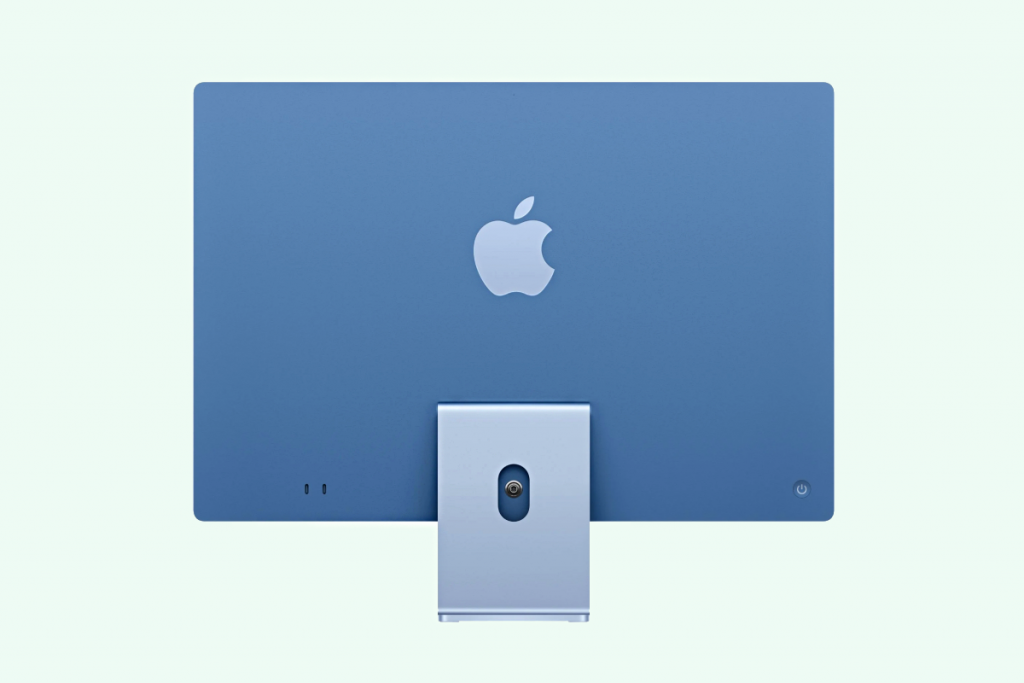
Thanks to its thin body, the M4 iMac fits perfectly into any space. It looks natural even when placed in the middle of the room. Key features of the device:
- helps organize an office for remote work or study;
- combines the system unit, monitor, and speakers in a body that is only 14.7 mm thick;
- comes in a palette of seven different colors.
The desktop device creates a functional space. You can place it in the living room, bedroom, children’s room, or kitchen.

Reason No. 2. iMac Is Suitable for the Whole Family
- iMac is a home computer for the whole family. It is suitable for:
- remote study and work;
- video editing and photo retouching;
- modern dynamic games.
The M4 chip and at least 16 GB of unified memory make the device productive for everyone: you can write reports, prepare accounting documents, retouch photos, and watch movies.
Reason No. 3. A High-Quality Screen and Eye Comfort
The 24-inch 4.5K Retina display with 500 nits of brightness provides a vivid picture. It is comfortable for the eyes when watching videos, working with texts, and creating graphics for a long time.
An iMac for home easily turns into a home theater thanks to its large display and high-quality sound. The device has four woofers and two tweeters at the bottom, delivering loud, rich sound with good bass. The device supports Spatial Audio, which is especially noticeable in Dolby Atmos soundtracks.
Advantages of the all-in-one:
- delivers realistic graphics thanks to the wide color gamut (P3);
- automatically adjusts the display’s color temperature to the lighting in the room using True Tone;
- allows you to work, study, and spend time with eye comfort.
The display resolution remains comfortable for graphics and texts — everything is clear and easy to read.
Reason No. 4. iMac Is Fast and Quiet in Everyday Work
The all-in-one helps you stay focused on work and leisure. It is powerful and multitasking. Advantages of the device with the M4 chip include:
- 2.1 times higher performance compared to all-in-ones with the M1 chip;
- 4.5 times faster performance than many Windows-based all-in-one PCs;
- 6 times faster task processing compared to a device with an Intel processor.
During peak loads, the active cooling system turns on. The fans themselves run quietly and do not interfere.
Reason No. 5. It Is Easy to Integrate into the Apple Ecosystem
The desktop all-in-one is part of the brand’s ecosystem. You can:
- exchange files with other Apple gadgets;
- continue working across different devices;
- sync information.
To make it convenient for the whole family to use the PC, it is better to create a separate profile for each person. How to set up the device:
- Go to “System Settings,” open the “Users & Groups” tab, and add a new account. If the system shows an error, check the free storage space on the drive.
- Connect a separate iCloud account for each user. Sign-in is done through a personal Apple ID.
- In the “AirDrop & Handoff” section, turn on Handoff and Universal Clipboard. For Universal Clipboard to work, check that Wi-Fi and Bluetooth are enabled on all gadgets.
- Set up Sidecar if needed to use iPad as a second screen.
- In the “Touch ID & Password” menu, activate Mac unlocking with Apple Watch. If the feature is not displayed, update macOS and watchOS to the latest versions.
Setting up the device takes very little time. In return, the whole family gets a comfortable workspace.

Who is iMac Best Suited For?
The all-in-one is suitable for those who work from home and prefer Apple tech. This format is convenient for schoolchildren and students.
It will appeal to those who value order and do not want to deal with tangled cables. If you already use the brand’s devices and are thinking about a compact home computer with easy ecosystem integration, the all-in-one is an optimal solution.
Final Thoughts: Is the iMac Worth Buying for Home?
An elegant body combines an excellent display, a powerful chipset, and a six-speaker sound system. The device is suitable for the whole family and easily fits into the interior — it will surely become a favorite for everyone.
You can test the all-in-one and buy it at iSpace. The price of the M4 iMac starts from 5,199 ₾ for the basic version. You can buy original gadgets on favorable terms in our physical stores in Tbilisi and Batumi, as well as in the online store. In any case, experts are ready to help you choose.
FAQ
Is an iMac suitable for studying and online classes at home?
Yes, it allows you to create a full place for studying and work. The compact device can be placed in any room.
Is the M4 iMac powerful enough for work and medium-complexity tasks?
Its capabilities are enough for both basic and advanced tasks. The M4 chip provides high performance under different workloads.
Which display size is comfortable for the home, and why is 24 inches universal?
The 24-inch display gives enough space to work with several windows at the same time, while great detail makes content comfortable for the eyes.
Check out more
Migration from Mac to Mac: Data Transfer Rules
Mac mini for AI: How to Turn a Compact Computer into a Local AI Center
How to Fix a MacBook That Won’t Turn On: A Step-by-Step Guide
Always be aware!
Subscribe to the newsletter and be the first to know about new promotions and special offers