When buying an iPhone, choose the built-in storage capacity carefully, because you will not be able to upgrade it later. So focus on how you use your smartphone every day.
Free space can run out quickly, and then you will have to delete files or move them to the cloud. 128 GB is the base option, enough for social media chats, music, and calls. But for media, you may already need an iCloud subscription. 256 GB is a universal capacity: it is suitable for storing apps, games, videos, and music. For content creators, 512 GB or 1 TB storage is a better choice.
In this article, we will explain how much storage you need in an iPhone. iSpace experts in the online store or physical stores in Tbilisi and Batumi will help you find an iPhone that fits your requirements.

How to Choose iPhone Storage: Rules
When choosing a new device, it is important to understand how much iPhone storage will be optimal for you not only now but also in a year. The smartphone design does not allow replacing the storage drive itself.
If you have an iCloud subscription for storing content, and you mostly scroll through social media and call friends on your smartphone, 128 GB will be enough. If you take a lot of photos and videos, choose 256–512 GB. With this capacity, you can manage without a cloud subscription and avoid deleting files too often.
If you like heavy games and install many apps, it is better to leave some extra space. 512 GB is ideal if you often shoot content, travel, and save movies for the road to watch them without internet access. A 1 TB drive is suitable for those who edit media directly on the device, do not want to use iCloud, or prefer to keep information on the gadget — for example, bloggers.
One nuance: even if you buy a model with the optimal storage capacity, space may still run out unexpectedly. The reason is app cache, which needs to be cleared regularly.
What Should You Choose: 128 or 256 GB?
The operating system and apps require more free space with each new generation of gadgets.
| Storage capacity, GB | Who is it for? | What is it suitable for? | Do not count on |
| 128 | People who mostly consume content online; users with a cloud subscription | Storing a relatively small amount of information | Storing dynamic content, constant shooting of 4K videos |
| 256 | Content makers and gamers | Storing a large number of photos, tracks, and short high-resolution videos | Recording 4K videos without moving them to the cloud |
If you do not want to clear cache and clean up your gallery often, choose a larger storage capacity.
Who Is a 512 GB iPhone Suitable For?
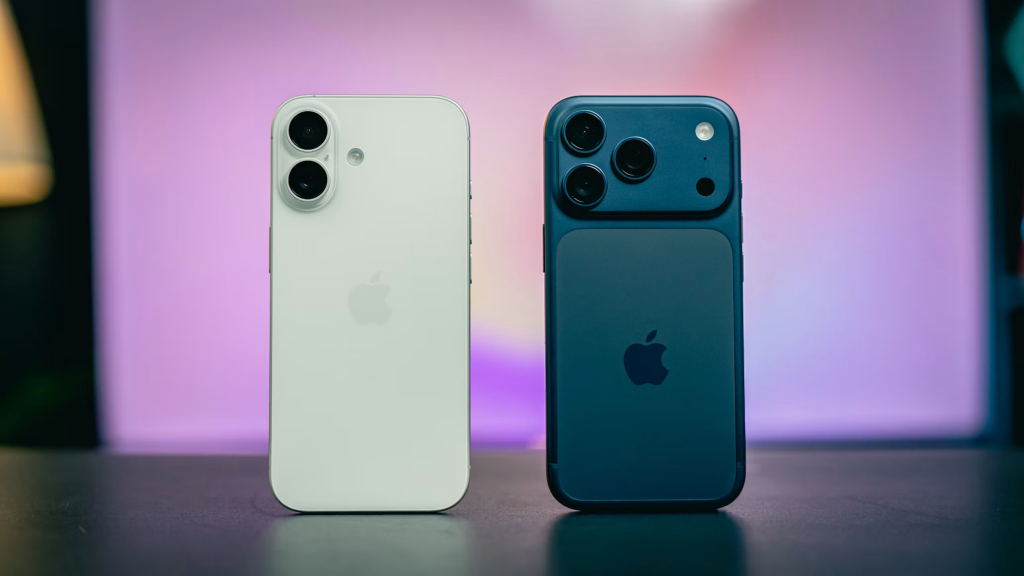
The 512 GB model is convenient for work and creativity. This storage capacity is suitable for:
- content creators, including Reels makers and mobile videographers;
- users who do not like storing information in the cloud;
- people who cannot use iCloud right away while traveling.
It is easy to download playlists, dynamic games, and hundreds of apps to such a device. 4K files are easier to store, but from time to time, you may still need to move them to an external drive or to the cloud.
Should You Buy 1 TB or More?
iPhone Pro and Pro Max series support ProRAW and ProRes formats for content, and these files take up a lot of space. 1 TB of storage is suitable for:
- professional content makers;
- people who find it more convenient to store information on their smartphone;
- users who edit content directly on the gadget.
You can shoot content without worrying that the storage will fill up quickly, as you will not need to clean it too often.
How to Determine Your iPhone Storage Needs?
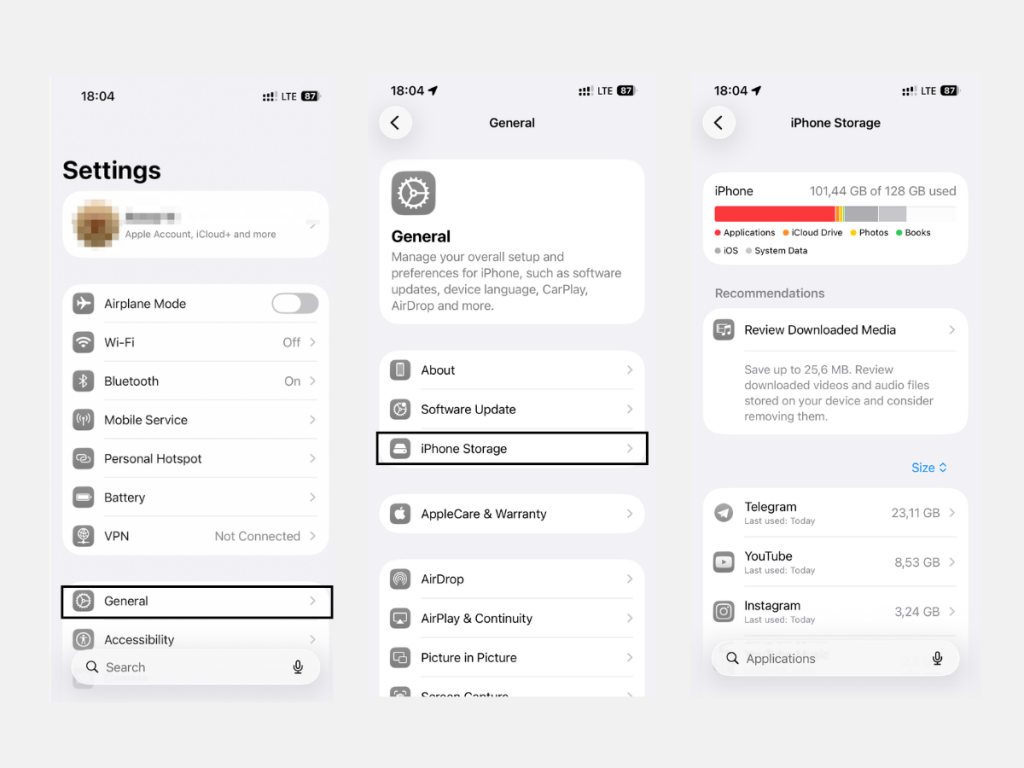
When switching to a new generation of iPhone, use your previous storage usage as a reference. To check how much storage is used on your current smartphone and what takes up space, go to “General” and then “iPhone Storage” in settings. In recent updates, the system takes up more space.
How Much Space Do iOS, Apps, and Files Take Up?
The actual storage capacity is lower than stated: about 10–20 GB is reserved for iOS, and models with Apple Intelligence need around another 12 GB for the neural network. Digital clutter, such as cache and logs, can take up 10–25 GB of storage.
Basic apps weigh from 59 to 500 MB. Over time, they accumulate cache and can take up tens of gigabytes. Games and creative software take up even more space.
What to Do If You Are Running Out of Storage?
If you receive a low-storage notification, optimize your storage. The process is simple:
- Check what is taking up space. Go to “iPhone Storage” in settings.
- Delete digital clutter from messengers and set up automatic file deletion so the storage does not fill up so quickly.
- Remove offline downloads from Netflix, YouTube, and other platforms.
- Move your archive to an external drive using a cable or sync the device with a cloud service.
- Set up iCloud optimization if you have a subscription. Files will be stored in the cloud, while thumbnails will remain on the gadget.
iSpace experts, Apple Premium Partner in Georgia, will help you choose the right smartphone storage capacity for your needs and explain how to set up cloud storage. Test gadgets in open access at physical stores in Tbilisi and Batumi, or order devices from the online store with delivery across the country.
FAQ
Is 128 GB enough for several years?
128 GB will be enough for about 2–3 years if you regularly delete digital clutter. If you run out of storage, you can keep some information in the cloud.
How much storage is needed for regular use?
The optimal option is 256 GB. You can store photos, download apps, and avoid spending a lot of time deleting cache every day.
How much space do 4K videos and photos take up?
A one-hour 4K video takes up about 45 GB. One photo takes up to 10 MB, depending on the format.
How can you increase iPhone storage?
Hardware expansion of iPhone storage is impossible. You can move information to a computer or an external drive. Another good option is to buy an iCloud subscription.
What is better: more storage or iCloud?
The right storage size can help avoid storage problems. But the best option is to combine both: keep some files on the phone and some in the cloud.
Why does storage run out even with a “small” number of apps?
It is all about temporary data. Apps save information so you do not have to wait long when opening them again. But this data can be cleared in settings. Also, in some games, progress can take up gigabytes of storage.
Check out more
10 Useful Siri Commands: What to Say to Your iPhone to Save Time
Is It Necessary to Close Tabs on iPhone: Harm or Benefit?
How to Quickly Find an Apple Watch Using an iPhone: Tips for Users
Always be aware!
Subscribe to the newsletter and be the first to know about new promotions and special offers