



iPhone 17 Pro with Trade In starting from 2 649 GEL Learn more
iPhone Air with Trade In starting from 2 259 GEL Learn more
Cyber Monday 1-7 December. Learn more

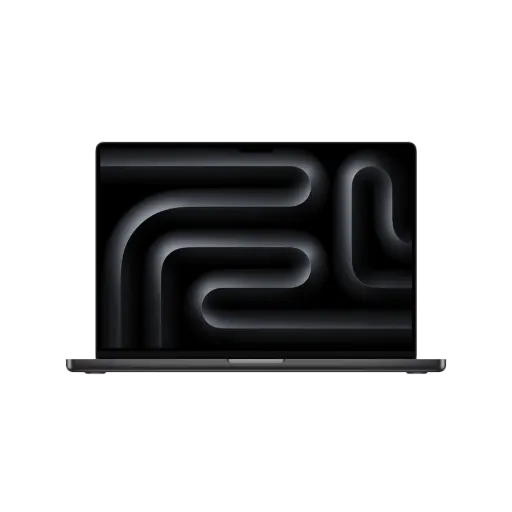
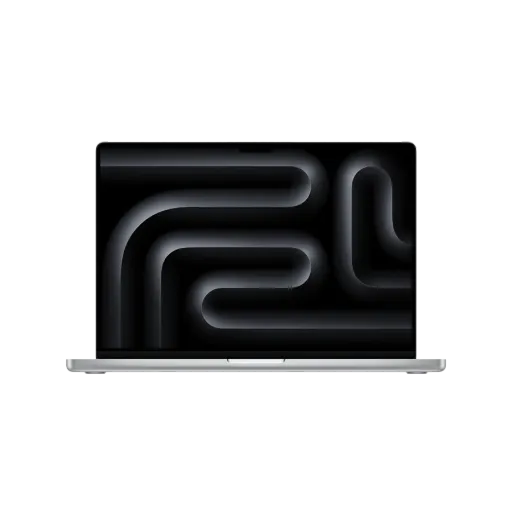
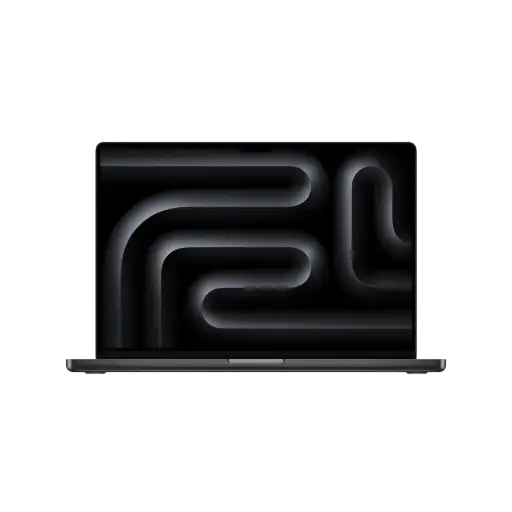
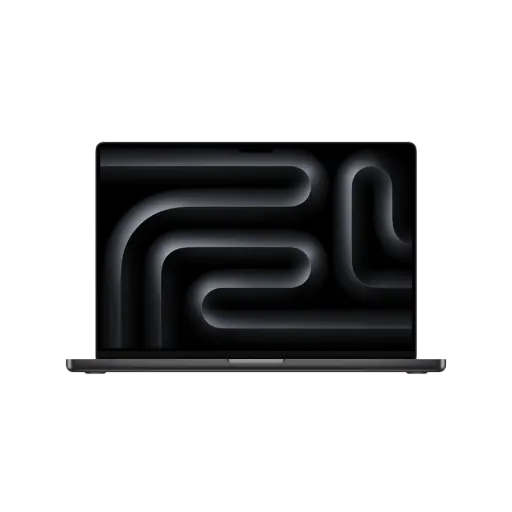
MacBook Pro

filter

Highest price 22289 ₾

43 products
Popular
Quick checkout

The MacBook Pro has always been Apple’s flagship laptop line — the machines that deliver the most performance, the most endurance, and the most flexibility for demanding workflows. They are made for people who create, produce and deliver professional results.


We’re talking about designers working on massive layered files in Photoshop, developers compiling huge projects with thousands of lines of code, video editors cutting together 8K footage, musicians mixing dozens of audio tracks, and photographers working with high-resolution RAW images. These are users who need their computer to keep up without slowing down, no matter how complex the task.


While all MacBook Pro models share this “built for professionals” DNA, they can differ greatly in hardware configuration, design details, and of course, price. Factors like the processor type (M4, M4 Pro, M4 Max), display size and type, color options, battery capacity, and other specs can change the feel and capability of each model. In this detailed iSpace overview, we’ll go through every major aspect so you can figure out which MacBook Pro is the best fit for your work and lifestyle.


Generations and Models of MacBook Pro

The first MacBook Pro was introduced in early 2006, replacing Apple’s PowerBook line and marking the company’s historic transition from PowerPC to Intel processors. That move kicked off a new era for Mac laptops, bringing them closer to the performance and compatibility standards expected by creative professionals.


In 2020, Apple made another giant leap forward — the move to Apple Silicon processors, designed entirely in-house and built to integrate perfectly with macOS. This transition not only brought a huge boost in performance and energy efficiency but also enabled advanced features like Apple Intelligence.


Over its history, Apple has released more than 50 different MacBook Pro models. In 2025, however, the focus is firmly on the versions running Apple’s “M” series chips.


Current MacBook Pro lineup:


MacBook Pro 13-inch:

  • M1, M2


MacBook Pro 14-inch:

  • M1 Pro, M1 Max
  • M2 Pro, M2 Max
  • M3, M3 Pro, M3 Max
  • M4, M4 Pro, M4 Max


MacBook Pro 16-inch:

  • M1 Pro, M1 Max
  • <liM2 Pro, M2 Max<liM3 Pro, M3 Max<liM4 Pro, M4 Max


When choosing between them, the size of the display is just one factor. The processor, graphics capabilities, and memory options can be just as important — and in many cases, these are what make a specific model the right tool for the job.


MacBook Pro Technical Specifications


Apple Silicon Processors: M1, M2, M3, M4


All modern MacBook Pro models are powered by Apple Silicon — processors built from the ground up for Apple’s computers. These chips combine CPU, GPU, and other components into a single unit, allowing for faster communication and greater efficiency.

For tasks like high-resolution video editing, 3D rendering, software development, and AI model training, the power of Apple Silicon is hard to beat. Each new generation brings not just higher raw performance, but also improved energy efficiency, allowing you to do more work without draining the battery as quickly.


Memory and Storage


Memory (RAM) capacity varies significantly across the range. The most basic models start with 8 GB of unified memory, which is fine for everyday use, while the most powerful builds go up to an enormous 128 GB — perfect for the most resource-intensive professional workloads.


Storage is equally flexible. Solid-state drives (SSD) in MacBook Pro models start at 256 GB, which is adequate for light users, and scale all the way up to 8 TB for those who work with massive libraries of video, photos, or project files.


Graphics and Performance


A MacBook Pro’s graphics capabilities depend heavily on the processor variant. Even the base M1 version, with its 8-core CPU and 8-core GPU, handles everyday tasks and moderate creative work smoothly. But if you opt for an M4 Pro or M4 Max, you’re looking at up to a 16-core CPU paired with a GPU of up to 40 cores, plus an incredible 273 GB/s of memory bandwidth.


This level of performance opens the door to editing multi-layer 8K video, building photorealistic 3D scenes, or running demanding games at ultra settings — all without noticeable slowdowns.


Liquid Retina XDR Display


Apple’s MacBook displays are widely considered some of the best in the industry. They are bright, color-accurate, and carefully calibrated to ensure your work looks exactly as intended.


Earlier MacBook Pro models with M1 and M2 chips use Retina displays, which already offer excellent image quality. But starting with the later M2 generation, Apple switched to Liquid Retina XDR panels, which support a much wider dynamic range. This makes them ideal for professional work where fine detail and color accuracy are critical, such as photo retouching, video color grading, or 3D modeling.


Battery Life and Cooling


One of the biggest advantages of Apple Silicon is its power efficiency. A MacBook Pro can easily last through a full day of work without reaching for the charger. The 16-inch M4 Pro, for example, can play streaming video for up to 24 hours straight.


Apple pairs this efficiency with a sophisticated cooling system. Fans are present, but they don’t run all the time — only when the system is under sustained heavy load. This means the MacBook Pro is often silent during light tasks, but still keeps its performance steady when you push it to the limit.


Keyboard, Trackpad, and Touch ID


Typing on a MacBook Pro is a smooth, responsive experience thanks to the Magic Keyboard’s scissor mechanism and backlit keys. Touch ID, built into the power button in the top-right corner, lets you unlock your Mac, authorize app installations, and make secure payments instantly.


The M1 and M2 models also feature the Touch Bar — a slim, touch-sensitive display strip above the keyboard that adapts to the app you’re using. Newer models replace it with full-size physical function keys, responding to feedback from professional users.


The Force Touch trackpad is large, extremely precise, and supports a variety of gestures. It can detect different levels of pressure, opening up new ways to interact with apps and tools.


Ports and Connectivity: HDMI, Thunderbolt, SD


For professional workflows, connectivity is crucial, and the MacBook Pro delivers. Depending on the model, you get up to three Thunderbolt (USB-C) ports, an HDMI port for external displays, an SDXC card slot for direct access to photos and videos, and a 3.5 mm headphone jack for audio work.


These ports make it easy to transfer files at high speed, connect multiple monitors, or work directly from a memory card without any adapters.


Studio-Quality Audio and Microphones


The MacBook Pro doesn’t just look and perform like a professional tool — it sounds like one too. The six-speaker audio system produces clear, balanced sound with strong bass, and supports Spatial Audio with Dolby Atmos on the built-in speakers.


If you’re using compatible headphones, you’ll also get dynamic head tracking for a more immersive listening experience.


The three-microphone array captures your voice clearly while reducing background noise, making it ideal for video calls, voiceovers, or podcast recording.


Which MacBook Pro Should You Choose?


While all MacBook Pro models are built for performance, their sizes, chips, and configurations make them suited for different users:


MacBook Pro 13-inch models with M1, M2 base chips are best for students, office tasks, and travel. Compact, lightweight, and quiet.


MacBook Pro 14-inch models with M1 Pro/M1 Max, M2 Pro/M2 Maх, M3/M3 Pro/M3 Max, M4/M4 Pro/M4 Max base chips are ideal for developers, designers, and other creative professionals who need flexibility. A perfect mix of power and portability.


MacBook Pro 16-inch models with M1 Pro/M1 Max, M2 Pro/M2 Maх, M3 Pro/M3 Max, M4 Pro/M4 Max base chips are perfect for video editors, audio producers, and 3D artists. The ultimate in performance with a large display.


Why Buy Your MacBook Pro from iSpace?


We are an Apple Premium Partner in Georgia, iSpace offers several advantages:

  • 100% genuine Apple products
  • Official warranty and authorized service
  • Premium customer support
  • Flexible payment options, including installments and credit
  • Trade-in program for upgrading from an older device


You can buy in one of our physical stores or place an order online for fast, secure delivery anywhere in Georgia.


MacBook Pro Prices in Georgia


Pricing varies depending on the model, processor, RAM, and storage. Generally, older generations are more affordable.


Most affordable option: MacBook Pro 14-inch M4 chip with 10‑core CPU and 10‑core GPU, 16GB, 512GB SSD — 5849 GEL


Top-tier model: MacBook Pro 16.2-inch M4 Max with 48 GB RAM and 1 TB SSD — 15 449 GEL without discounts


Our consultants can help you compare models, and you’re welcome to try them in-store to see which feels right.


Frequently Asked Questions about MacBook Pro


How much does a MacBook Pro cost?


It depends on the configuration. Prices for the latest offers are listed on our website and in-store.


Is there a warranty?


Yes, all MacBook Pros come with Apple’s official 1-year warranty covering manufacturing defects. Damage from accidents or misuse is not covered.


14-inch or 16-inch?


The 14-inch is more portable and lighter, perfect for travel. The 16-inch offers more screen space and slightly more thermal headroom for demanding tasks.


Good for editing, 3D, and coding?


Absolutely. The high-performance chips, accurate displays, and stable macOS environment make the MacBook Pro a top choice for all three.


What’s in the Box


MacBook Pro, power adapter, charging cable and documentation.


How to Verify It’s Genuine


A real MacBook Pro is made from a single block of aluminum, with no gaps or flex in the chassis. The trackpad is responsive across its entire surface, and any Touch Bar present should work smoothly. To be 100% sure, check the serial number on Apple’s official website.